FAQ for this item
1.If I scan a product barcode , will it include the name and price
in the file automatically?
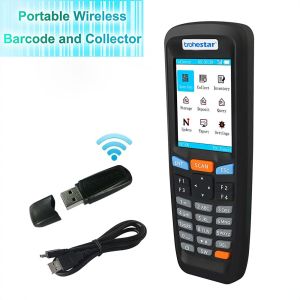
N6 is special , it can shows product name and price with our tool
.In general The scanner works like a keyboard , it does not
interpret what the barcode us , it just “types” out a string of
alphabet numeric characters that the barcode represents .It is up
to the database software you are using to interpret what the string
of character mean .Once you acquire the barcodes , you have to
correlated them to something more meaningful by either purchasing a
software service which will interpret the barcode and relate it to
a product , or you can use your own inventory system to assign the
barcodes to specific products . After creating the relationship
between your barcode and the corresponded information , when you
enter the barcode into the software by scanning , your software
will look up the barcode and then related the information of your
product .
2.How can I upload data ?
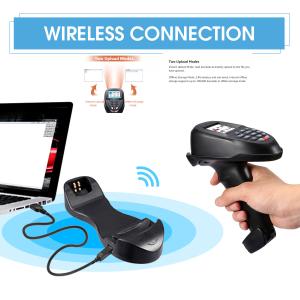
There are two ways to export the data ,RF transmission and USB
transmission .RF (wireless ) export is more convenient whike USB
(Wired)is more stable .For RF export , please pair the receive
/dongle and the scanner first .For USB export , please connect your
scanner to the computer with the USB cable first
Export function is to export the data collected to the computer
.Normal , the default format transmitted to the computer should be
barcodes each followed by a line feed , but there are some special
occasions that may require more line feeds or special symbols after
or before each barcode , the complex transmission format can be set
on Export settings .